Capture a session as a workflow
Goal
Turn three things you did in the terminal into a runnable workflow draft. Time: 15 minutes.
Pro feature
Session capture is Pro.
Steps
- Start capture with
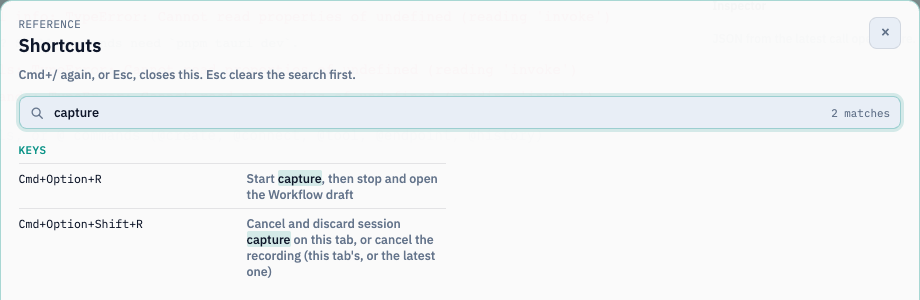
@captureor the Capture session command. You can also press Cmd+Option+R on macOS, or Ctrl+Alt+R on Windows/Linux (Ctrl+Shift+R where AltGr uses Ctrl+Alt). The Pro tray menu has Capture session to Workflow too. - Do your work in this tab: run a shell command, call a saved endpoint (
@endpoint Find user --id 42), call an MCP tool, and ask the AI something. - A pulsing Capturing pill in the footer counts your actions. Click it, then choose Finish and review.
- An unsaved draft opens with its triggers paused. Review it, rename it, and Save.
What becomes what
| Captured | Becomes |
|---|---|
| A POSIX, Git Bash, or WSL command | A Bash Code block ending with {"ok":true} and declaring ok: boolean |
| A PowerShell command | A PowerShell Code block |
| A Command Prompt command | A PowerShell block that calls cmd.exe |
| A saved endpoint call | An HTTP block. The request values become named workflow inputs, which you enter when you press Run (42 isn’t saved as a default) |
| An MCP tool call | An MCP block |
| An AI prompt | An AI block using the tab’s model. The prompt becomes a required input. Earlier chat context isn’t captured |
What’s left out (and why)
- Interactive commands, and commands that change or read persistent shell state (
cd,export, reading$VAR), stay in the review list with a prerequisite note. The draft doesn’t pretend that shell state was saved. - Secret-looking values are scrubbed before they enter the in-memory buffer. Those steps are listed for review: add a saved secret, or enter the value again in the editor.
- Capture is per tab and memory-only, and holds up to 200 actions. If nothing was captured, Finish capture closes the session without creating an empty workflow.
Ctrl+Alt+Shift+R (macOS: Cmd+Option+Shift+R) discards the capture. @record is a different feature: it records scrollback as an asciinema recording.
Check your run
The draft has one block per captured, representable action. Shell blocks end with {"ok":true}, and pressing Run asks for any captured request inputs.
Exercise
Capture cd /tmp && ls. Why isn’t it in the runnable draft, and how would you rewrite it as a block?
Reference: Capture a session as a Workflow