
Run, watch, and inspect
Goal
Learn what each run state looks like, and find a failed block quickly. Time: 10 minutes.
Watching a run
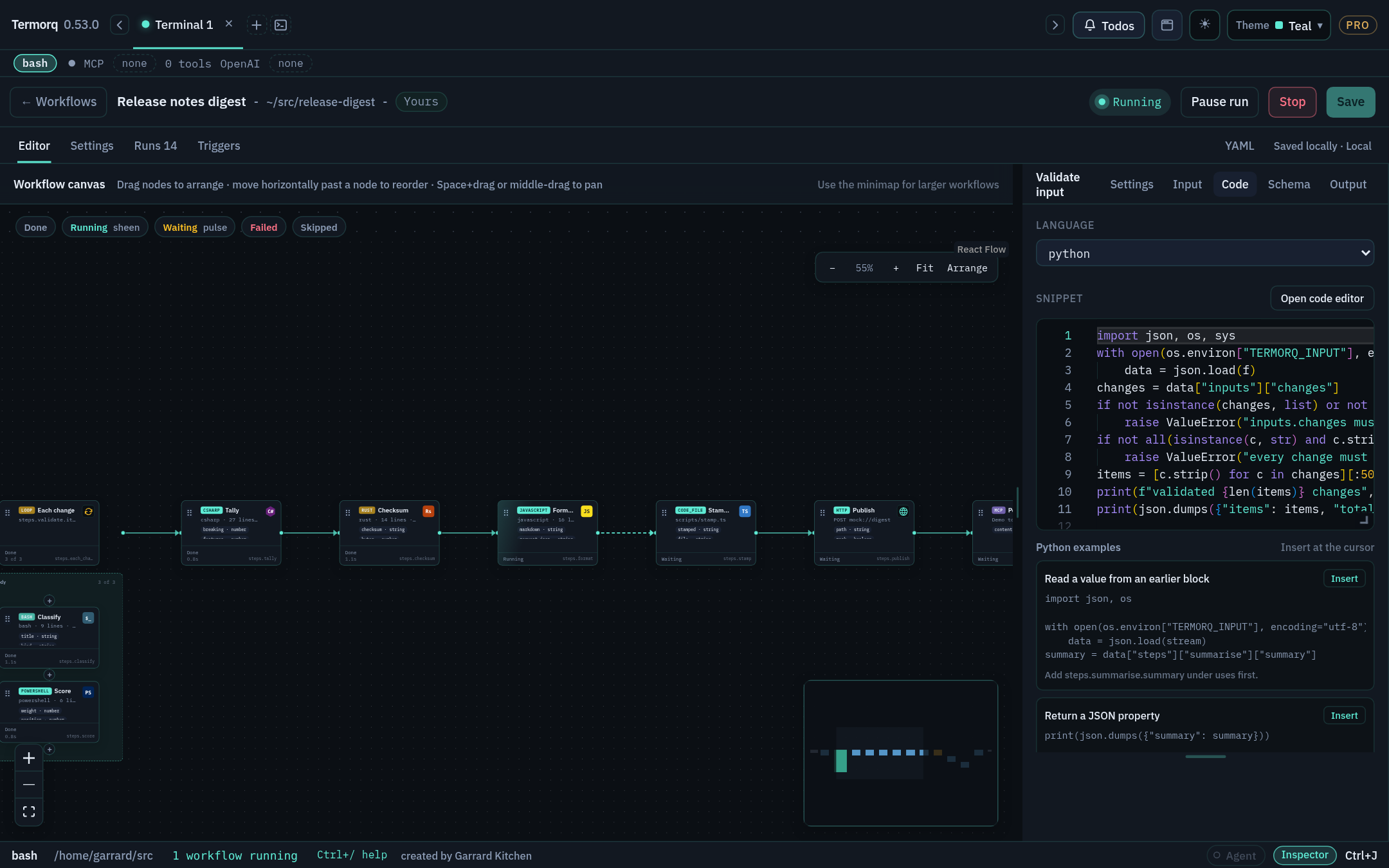
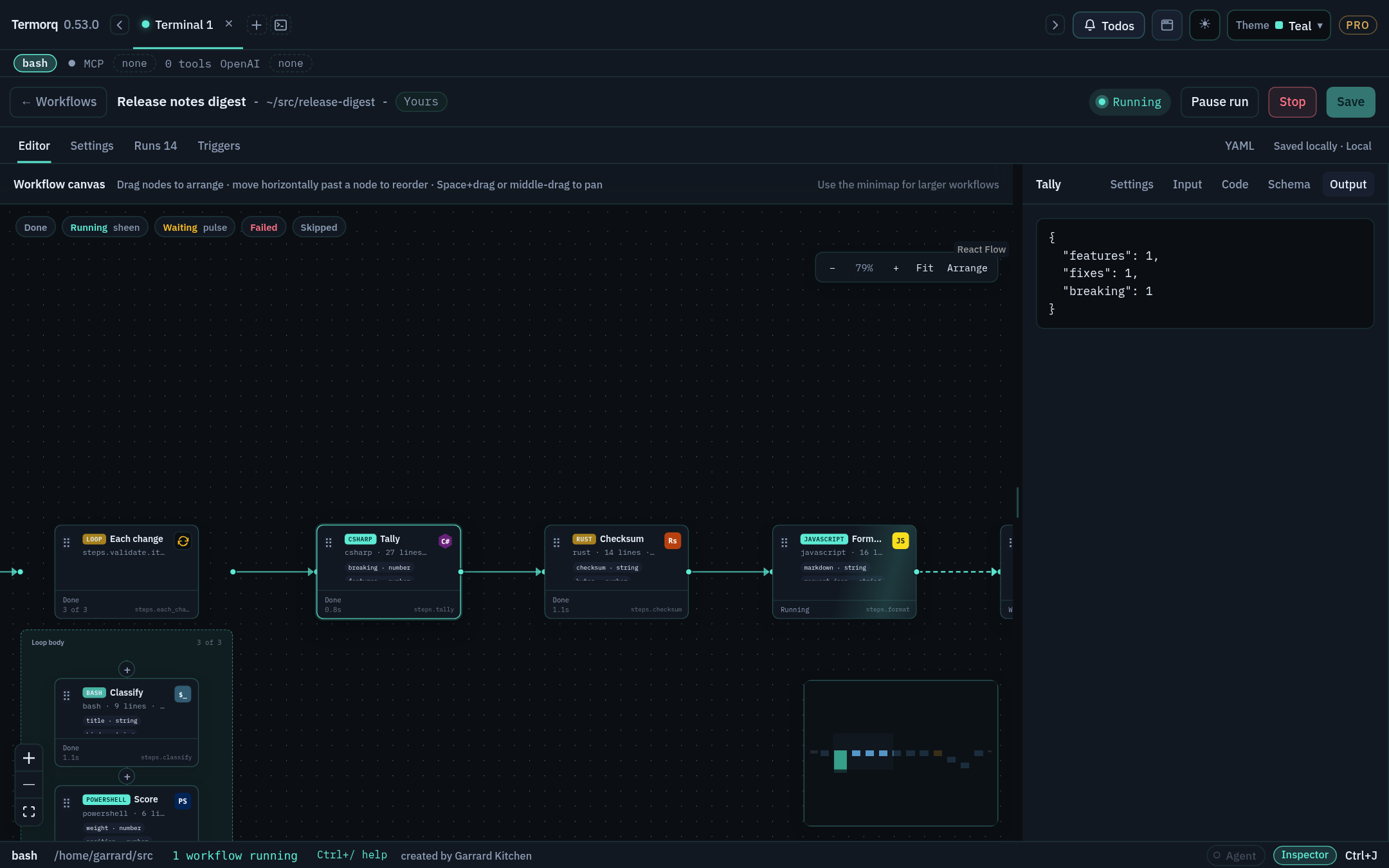
| On the canvas | Meaning |
|---|---|
| Accent border and sheen, with a dot travelling to the next block | Running |
| Pulse | Waiting |
| One shake, then red | Failed. The editor selects the block, scrolls to it, and opens Output with the error |
| Skipped | The node is disabled, or a decision didn’t route to it |
With prefers-reduced-motion: reduce, the colours and labels stay and the motion is turned off.
Make it fail
- In Pass a value, change the
greetbody’s last line toprint("not json"). - Click Run. Greet turns red, and Output says the last non-empty line must be a JSON object.
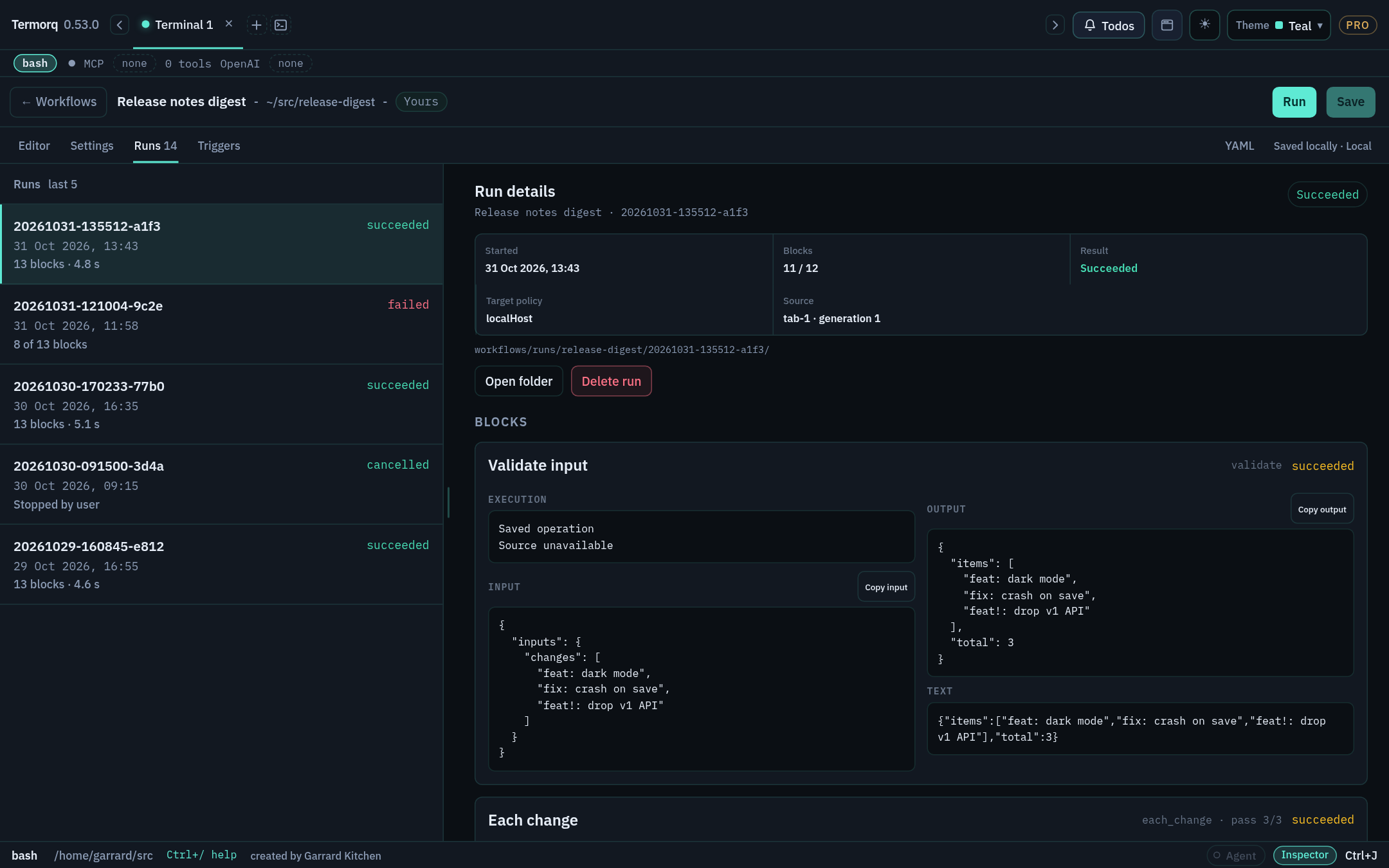
- Open the Runs tab and select the run. Every block captured at the start of the run is listed. Blocks that never ran are marked not run.
- Use Copy input and Copy output on a block to copy exactly what it received and returned. Secret values stay masked.
- Fix the line and run again.
Pause and Stop
- Pause run lets the current block finish, then holds the next one.
- Stop ends the process tree immediately, without asking for confirmation.
Check your run
Runs lists two runs: one failed and one successful. Each has a local date and time.
Exercise
Add import time; time.sleep(10) to the start of Make name, run the workflow, and click Pause run straight away. What does Greet show while the run is paused?