Test one block with Execute step
Iterate on a single code block in seconds, without triggers or a new entry on Runs. Time: 10 minutes.
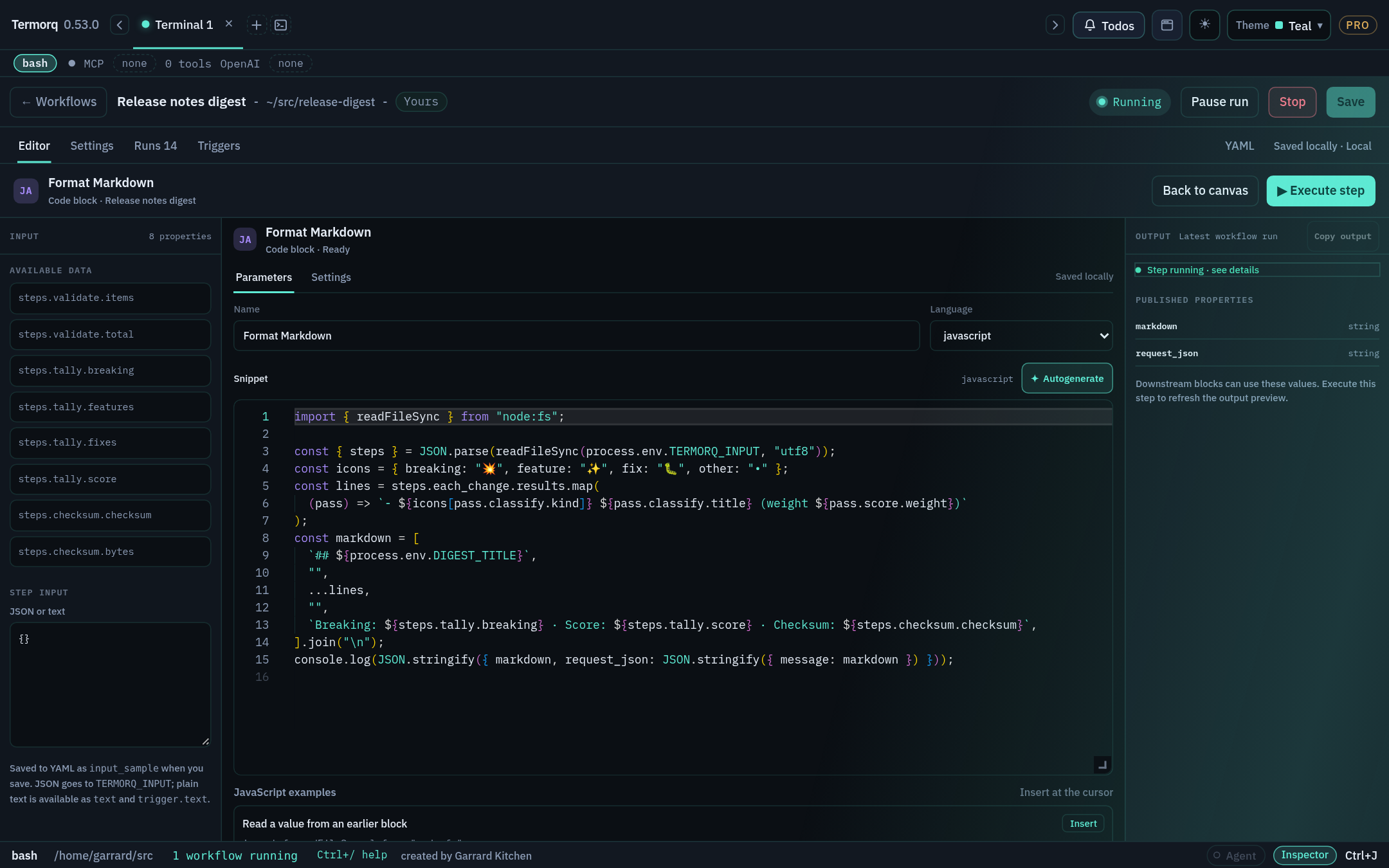
Steps
- Select a Code block and choose Open code editor.
- Type JSON or plain text in Step input.
- Choose Execute step. Only this block runs. The output panel shows stdout, errors, and published properties.
- Copy output copies everything in that panel.
- Save the workflow to keep the sample as
input_sample.
How Step input becomes the input file
| You type | TERMORQ_INPUT file contains |
|---|---|
A JSON object, array, number, boolean, or null | That JSON |
| Plain text (including a JSON string value) | Raw text. It’s also available as inputs.text and trigger.text |
| Nothing | {} |
Text starting with { or [ that isn’t valid JSON | Rejected |
In Execute step, Step input is the file. It isn’t built from uses. To reproduce a full run, type the same nested shape that uses would produce, for example {"trigger":{"text":"Hello"}}, not {"text":"Hello"}.
input_sample in YAML
input_sample is a test fixture. A trigger or a full run never uses it as a default. A passing Execute step doesn’t prove that the real trigger supplies every path in uses.
Execute step shows message: "Hello from curl", and the Runs tab gets no new entry.
Type the plain text Hello (without quotes) into Step input. The block above fails. Change the body so it handles both the nested JSON shape and plain text.
Execute step is available for inline Code blocks. AI blocks have the equivalent Open AI editor (Stage 4). Test Code file blocks with a full run.