You read data["trigger"]["text"], not a flattened data["text"].
Try it
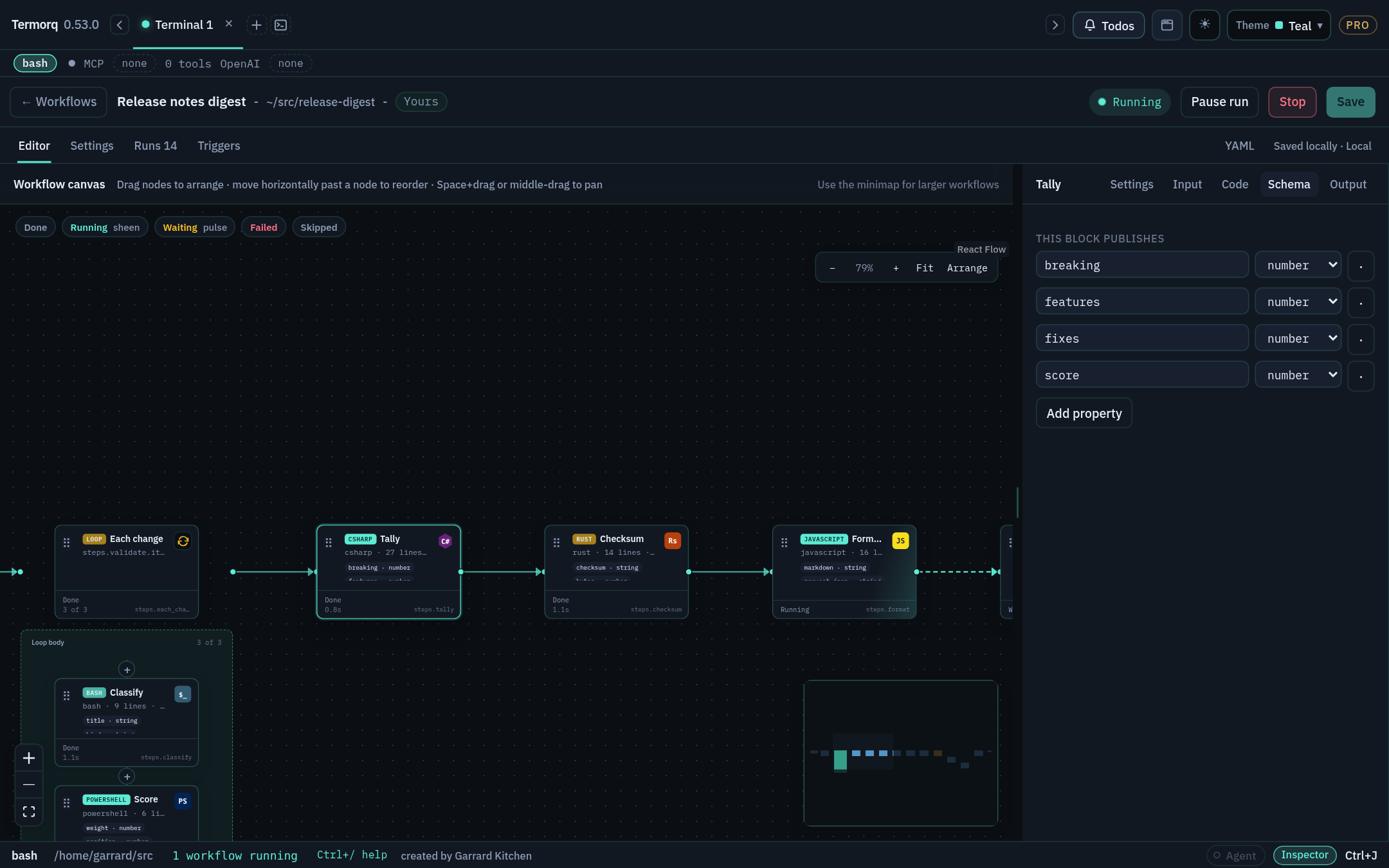
Paste this workflow. It uses a mock HTTP block, so it makes no network calls:
schema:1name:Read inputid:read-inputblocks:- id:lookupkind:httpmethod:GETurl:mock://usersoutputs:type:objectproperties:path:type:string- id:showkind:codelanguage:pythonuses:[steps.lookup.status, steps.lookup.path]body:| import json, os, sys
path = os.environ["TERMORQ_INPUT"]
print(f"input file: {path}", file=sys.stderr)
with open(path, encoding="utf-8") as f:
data = json.load(f)
print(json.dumps({"summary": f"{data['steps']['lookup']['path']} -> {data['steps']['lookup']['status']}"}))outputs:type:objectproperties:summary:type:string
Check your run
show → Output contains summary: "users -> 200". The stderr line shows a temporary path. The file is created with mode 0600 on Unix and deleted when the block ends.
When there’s no input
If uses is empty, a full run provides no input file, so TERMORQ_INPUT is unset.
If a listed path isn’t available, for example because the trigger didn’t provide trigger.text, the block fails before your code starts. Listing a path doesn’t give it a default value.
Tip
Request only the values a block needs. This is good data minimisation, because a block can’t leak data it never received. It isn’t a sandbox, though: your code still runs with your user’s permissions.
Exercise
Rewrite show in Bash using jq. It should publish the same summary property.
Details
set -euo pipefail
jq -c '{summary: "\(.steps.lookup.path) -> \(.steps.lookup.status)"}'"$TERMORQ_INPUT"
Set language: bash on the block. jq -c prints a single compact line, which satisfies the last-line rule.
<prop> is declared in that block’s outputs, or is always published (status, exit, duration_ms)
steps.<loop id>.results
Every pass of a loop
After the loop
loop.item, loop.index, loop.count
The current loop pass. loop.index starts at 1
Only inside a loop body
secrets.<name>
The secret store, resolved at run time
<name> is listed under the root secrets: key
Declaring inputs and secrets
schema:1name:Greet a cityid:greet-citysecrets:- WEATHER_API_KEYinputs:city:type:stringblocks:- id:greetkind:codelanguage:pythonuses:[inputs.city, secrets.WEATHER_API_KEY]body:| import json, os
data = json.load(open(os.environ["TERMORQ_INPUT"], encoding="utf-8"))
key_present = bool(data["secrets"]["WEATHER_API_KEY"])
print(json.dumps({"line": f"Hello {data['inputs']['city']}", "has_key": key_present}))outputs:type:objectproperties:line:type:stringhas_key:type:boolean
Warning
Never print a secret. Termorq redacts known secret values from logs and masks them in the run record, but the safest secret is one that never reaches stdout. Keep secrets out of input_sample too.
Check your run
Delete secrets: and click Save. Save reports 'secrets.WEATHER_API_KEY' is not a property this block can use. Put it back and the workflow saves.
Exercise
Move uses: [loop.item] onto a top-level block (one that isn’t in a loop). What does Save say?
Details
'loop.item' is not a property this block can use.loop.* paths are only valid inside a loop’s body. See Stage 5.
Publishing output and the output schema
Goal
Publish typed properties that downstream blocks can rely on. Time: 15 minutes.
Two modes
Mode
When
What gets published
Structured
The block declares custom properties under outputs
The last non-empty stdout line must be one JSON object containing every declared property with the declared type
Plain
There are no custom output declarations
text (raw stdout), exit (exit code), and status: ok
Both modes also record exit, status, and duration_ms. A non-zero exit code fails the block.
The schema supports the keys type, properties, items, enum, secret, and required. Termorq checks each declared property for presence and type (string, number, boolean, object, or array). The run fails if a property is missing or has the wrong type, or if the last line isn’t a JSON object.
A property marked secret: true is drawn in the warning colour on the canvas and masked in run records.
Try it: three ways to fail
Start with this block, which passes:
schema:1name:Output rulesid:output-rulesblocks:- id:emitkind:codelanguage:pythonbody:| import json, sys
print("diagnostics go to stderr", file=sys.stderr)
print("an early stdout line is fine")
print(json.dumps({"count": 2, "names": ["Ada", "Lin"]}))outputs:type:objectproperties:count:{type:number }names:{type:array, items:{type:string } }
Now make each of these changes in turn and run the workflow again:
Change "count": 2 to "count": "2". The type check fails.
Use json.dumps(..., indent=2). The output is pretty-printed, so the last line is just }. It fails.
Print [1,2] last. An array isn’t an object, so it fails.
Warning
text is reserved for raw stdout. Name your business data something else, such as message, summary, or body_text. Also, outputs isn’t a file name: Termorq doesn’t read a file to find your output.
Artifacts are different
To produce a file, such as a CSV report, write it to $TERMORQ_OUTPUT, which is the run’s files/ directory. Writing a file there doesn’t publish a property. To tell later blocks where the file is, publish its name:
After the three failing experiments, restore the passing version. emit → Output shows count: 2 and names: ["Ada","Lin"]. Its Input tab, as seen from a later block, shows number and array type pills.
Exercise
Add an enum so that a level property must be low, medium, or high, and publish "medium".
Return ok (on its own, or with other properties) correctly in every language. Time: 5 minutes.
ok is an ordinary boolean property, but it’s an important convention. Shell blocks generated by session capture always end by printing {"ok":true} and declare ok: boolean. The editor’s insertable examples include Return a successful result and Return ok and a property for every language.
If a block declares ok, the last line must include it as a boolean. The string "true" fails.
fnmain(){// No JSON library without Cargo: only safe when summary has no quotes, backslashes, or newlines.
letsummary="3 files cleaned";println!("{{\"ok\":true,\"summary\":\"{}\"}}",summary);}
Command Prompt isn’t one of the workflow languages. To run a cmd.exe command, use a PowerShell block with the editor’s Run a Command Prompt command example. It runs the command through %ComSpec% and exits with the command’s failure code.
Check your run
Each variant publishes ok: true and summary: "3 files cleaned".
Exercise
Make the Bash version publish ok: false when a directory called logs doesn’t exist in the run’s working directory, without failing the block.
The script exits with 0, so the block passes. A later Decision can then branch on steps.<id>.ok == true.
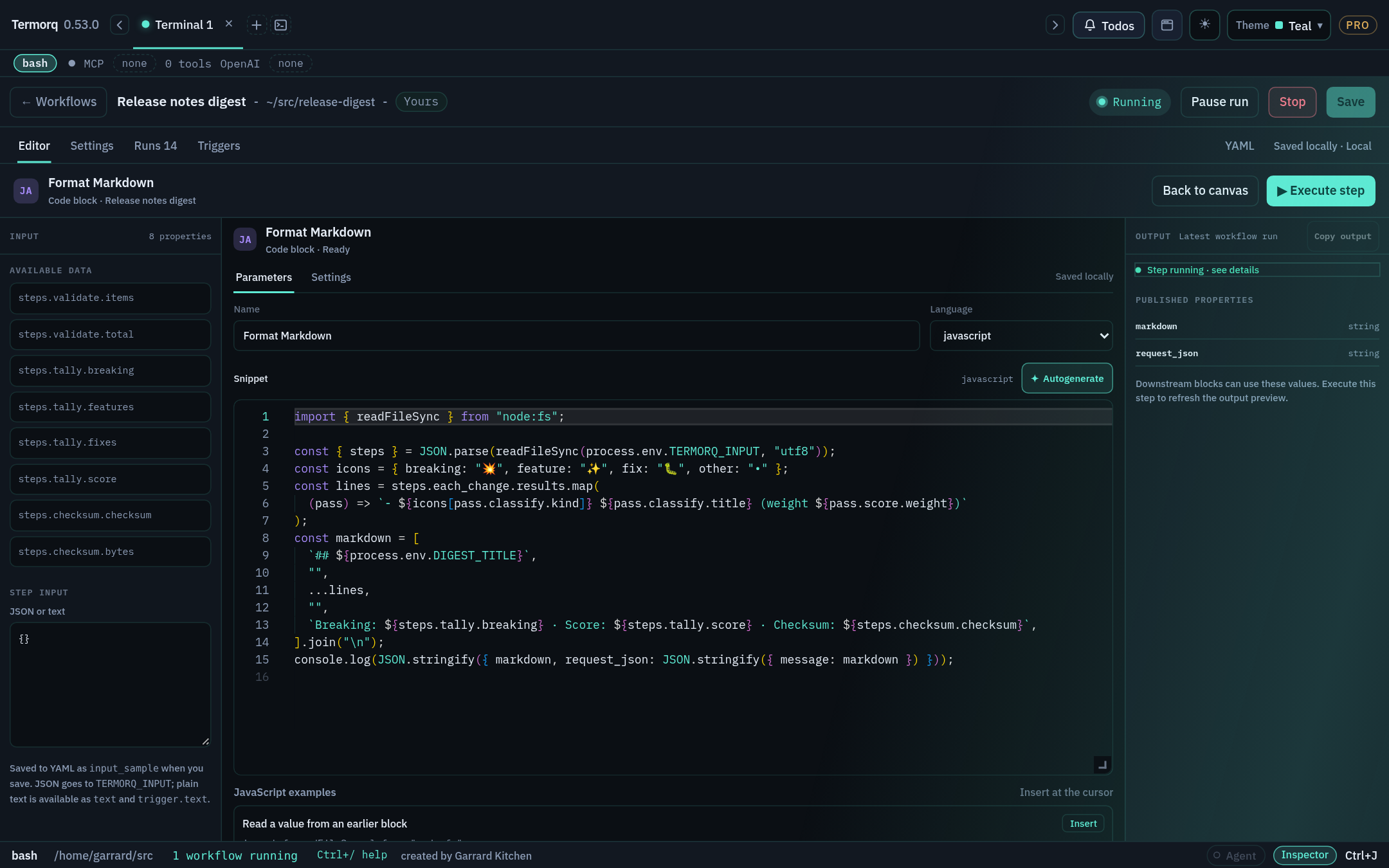
Test one block with Execute step
Goal
Iterate on a single code block in seconds, without triggers or a new entry on Runs. Time: 10 minutes.
Steps
Select a Code block and choose Open code editor.
Type JSON or plain text in Step input.
Choose Execute step. Only this block runs. The output panel shows stdout, errors, and published properties.
Copy output copies everything in that panel.
Save the workflow to keep the sample as input_sample.
How Step input becomes the input file
You type
TERMORQ_INPUT file contains
A JSON object, array, number, boolean, or null
That JSON
Plain text (including a JSON string value)
Raw text. It’s also available as inputs.text and trigger.text
Nothing
{}
Text starting with { or [ that isn’t valid JSON
Rejected
Important
In Execute step, Step input is the file. It isn’t built from uses. To reproduce a full run, type the same nested shape that uses would produce, for example {"trigger":{"text":"Hello"}}, not {"text":"Hello"}.
input_sample in YAML
- id:echokind:codelanguage:pythonuses:[trigger.text]input_sample:|- {"trigger":{"text":"Hello from curl"}}body:| import json, os
data = json.load(open(os.environ["TERMORQ_INPUT"], encoding="utf-8"))
print(json.dumps({"message": data["trigger"]["text"]}))outputs:type:objectproperties:message:{type:string }
input_sample is a test fixture. A trigger or a full run never uses it as a default. A passing Execute step doesn’t prove that the real trigger supplies every path in uses.
Check your run
Execute step shows message: "Hello from curl", and the Runs tab gets no new entry.
Exercise
Type the plain text Hello (without quotes) into Step input. The block above fails. Change the body so it handles both the nested JSON shape and plain text.
timeout_secs (default 600) limits how long each block can run. You can change the default for new workflows under Settings → Workflows.
Check your run
The stderr log shows cwd=…/runs/env-demo/<run id>/files, and the output is region: "eu-west".
Exercise
Set timeout_secs: 2 and add sleep 5 to the block. What happens?
Details
The block is stopped after 2 seconds and the run fails. Use short timeouts for blocks that call services that sometimes hang.
Code file: keep source in your repo
Goal
Move a block’s source code into a file that’s under source control. Time: 10 minutes.
Code file (kind: code_file) works exactly like Code: it has the same input file, the same last-line rule, and the same seven languages. The difference is that the source lives at path, resolved relative to the workflow’s folder.
Steps
Set the workflow’s folder to a project, for example ~/src/acme-apis.
- id:from_filename:Echo from filekind:code_filepath:scripts/echo.pyargs:--mode fast --verboseuses:[trigger.text]outputs:type:objectproperties:message:{type:string }argv:{type:array }
Rules
Language is inferred from the extension: .sh (and unknown extensions) → bash, .ps1 → powershell, .py → python, .cs → csharp, .rs → rust, .js/.mjs → javascript, .ts → typescript. Set language: explicitly for an unusual extension.
args is a single string split on whitespace. Shell quoting is not applied: args: --name "Ada Lovelace" becomes three arguments, --name, "Ada, and Lovelace". Pass structured values through uses and the input file instead.
The source is copied into a build directory, and the working directory is the run’s files/. Relative imports and companion files next to the original don’t resolve. Keep scripts self-contained, or use explicit paths built from $TERMORQ_FOLDER.
Code file isn’t a project launcher: it doesn’t run cargo, npm install, or .csproj builds.
Code file has no Execute step. Test it with a full run (you’ll need a trigger that supplies trigger.text, or use inputs).
Check your run
steps.from_file.argv is ["--mode","fast","--verbose"].
Exercise
Change args to --greeting "hello world". Predict argv before you run it.
Details
["--greeting", "\"hello", "world\""]. The value is split on whitespace and the quotes stay as literal characters. That’s why structured values should go through uses.
Git file (not runnable yet)
Goal
Know what the Git file node does today, and run a file from a repository safely. Time: 5 minutes.
Not runnable yet
The editor offers Git file (kind: git) with fields for a public repository, ref, path, and inferred language. The runner rejects kind: git. A workflow that contains it won’t save or run, even if the editor verified the repository.
Use Code file after checkout: clone or check out the repository locally, review the revision, then point a code_file block at it.
The workaround
# One-time (or in a setup step you trust): check out a reviewed revisiongit clone https://github.com/acme/scripts ~/src/acme-scripts
git -C ~/src/acme-scripts checkout v1.4.2
Pinning to a tag or commit you’ve reviewed means the code you run is code you’ve read. That’s also why this route is safer than running whatever happens to be on a remote branch.
Check your run
Save accepts the code_file version. If you put kind: git in YAML, Save reports 'kind' must be code, code_file, http, mcp, ai, decision, loop.
Exercise
Write the YAML for a Code file block that runs scripts/build.ps1 from your checkout with the args -Configuration Release.