
Notices and Workflow settings
Goal
Tune how runs report their progress, and the defaults for new workflows. Time: 5 minutes.
Notice cards
- One card per run, shown above the footer, with at most two in-progress cards. These are not OS notifications.
- The card appears when the run starts, updates as each block starts, and changes when the run fails or finishes.
- A success card disappears after 6 seconds. A failure card stays until you dismiss it. Open goes to that run.
- Progress isn’t shown while that run’s page is open.
- Control which cards appear for each workflow with the root
notices:key (see Stage 6).
Settings → Workflows
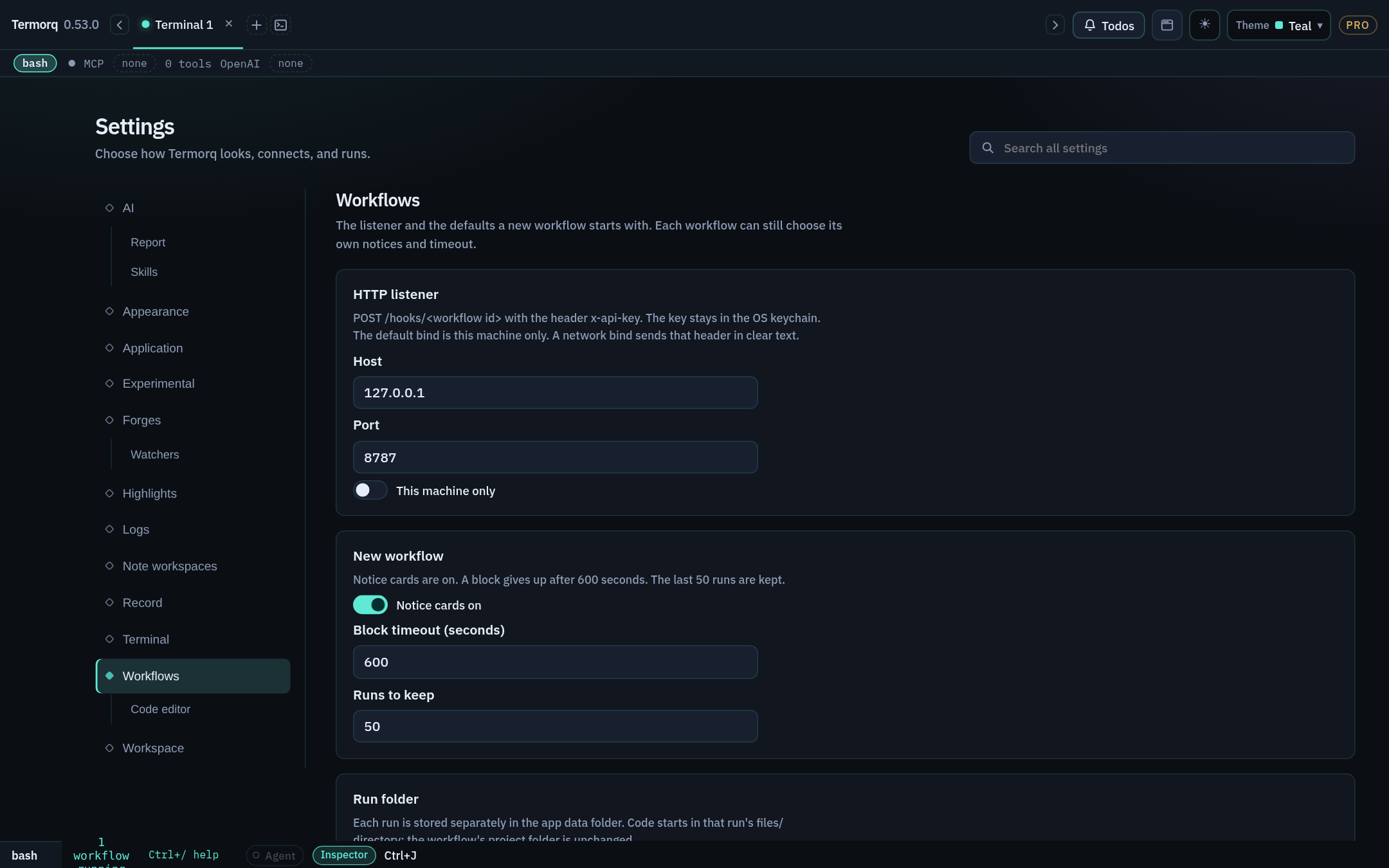
| Setting | Default |
|---|---|
| Listener host | 127.0.0.1 |
| Listener port | 8787 |
| Network bind | Off (this machine only) |
| Notice cards | On |
| Block timeout | 600 seconds |
| Runs to keep | 50 |
| Code editor › Insert highlight clears after | 10 seconds |
| Code editor › Undo notice stays open for | 10 seconds |
Search Settings for workflow, listener, or undo notice to find these.
Check your run
Set Runs to keep to 5, run a workflow six times, and check that Runs lists only 5.
Exercise
Which setting would you change so that Autogenerate’s teal highlight stays for 30 seconds?