Anatomy of a workflow file
Goal
Recognise every root key and write a complete file from memory. Time: 15 minutes.
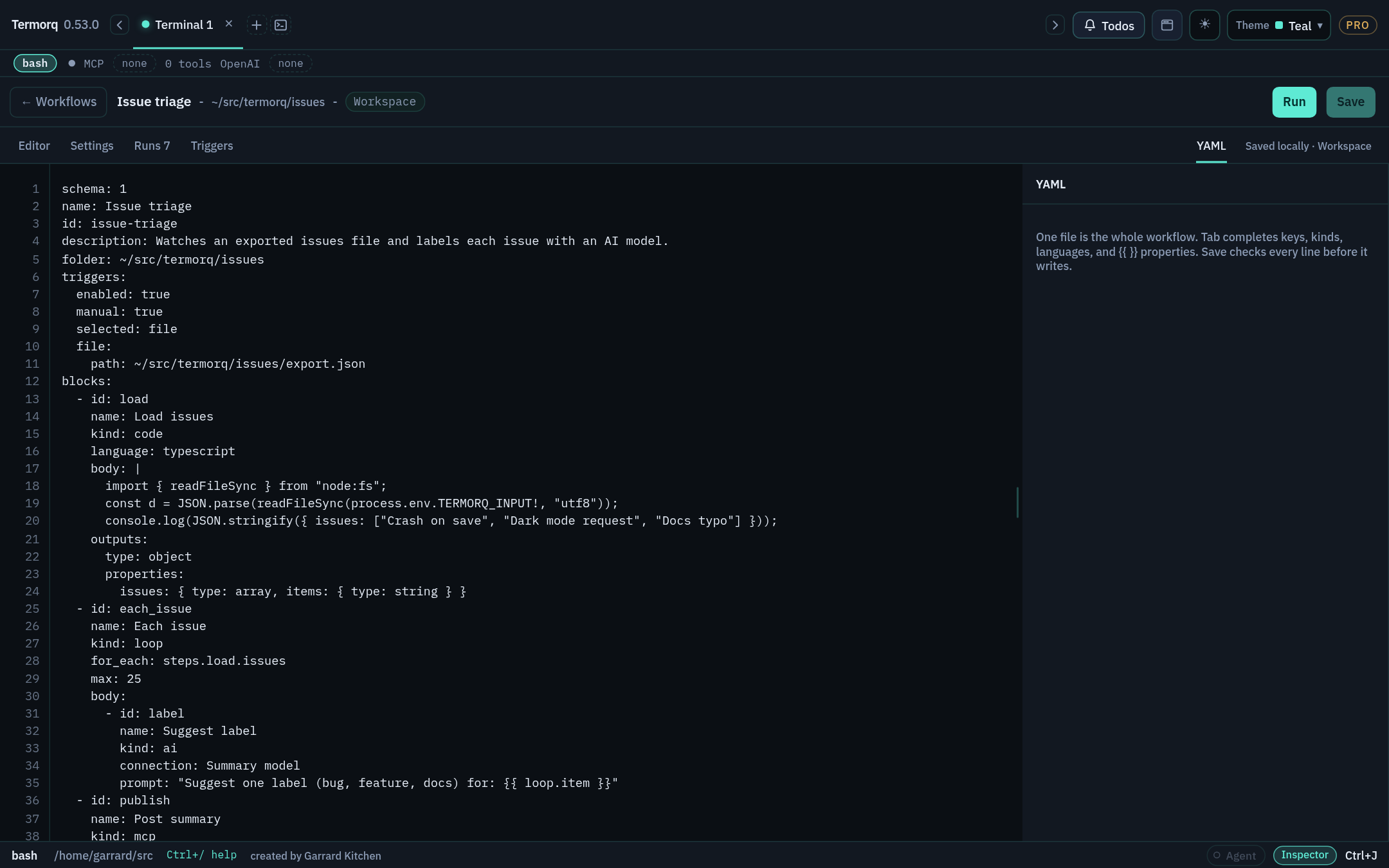
Annotated example
Root keys
| Key | Required | Purpose |
|---|---|---|
schema | ✓ | 1, or 2 when the file uses target |
name | ✓ | Display name |
id | ✓ | Stable ID, used in run folders, CLI commands, and HTTP hook URLs |
blocks | ✓ | The steps |
description | Markdown description (raw HTML and images aren’t rendered) | |
folder | Project folder | |
timeout_secs | Per-block timeout in seconds | |
notices | started, progress, finished, failed, stopped, skipped | |
inputs | Declared inputs (each with a schema such as type) | |
secrets | A list of secret names | |
env | Environment variables for code blocks | |
triggers | Trigger configuration | |
target | Where code runs (localHost, useTab, or a WSL mapping). Requires schema: 2 | |
skills | Skill binding for AI blocks | |
canvas | positions: { <block id>: { x, y } }, written by the editor when you save | |
consent | Written by the app when you confirm a trigger. Don’t edit it by hand |
Any other key fails Save with property ‘…’ is not recognised.
Check your run
Paste the annotated example into a new workflow and click Save. It saves (you can leave the comments in). Then delete id: and click Save again: you get ‘id’ is missing.
Exercise
Add a notices block that shows only failure cards.
Reference: Build a workflow → YAML